Introduction:
Have you ever wondered which channels bring more reviews, leads and customers to your website? Connecting Google analytics to your Automatescale is perhaps one of the best ways to run reports and know which channels and marketing campaigns are driving leads, customers and revenue.
About Google Analytics
Google Analytics is an online platform that collects data from your websites and apps. Then it creates reports to provide insights in your business. It includes a bunch of useful features that allow you to identify trends and patterns which let you know how users engage with your website. Those features include analysis, data collection, monitoring, visualization, reporting and integration with other applications.
Here is a short guide on how to connect google analytics and google Adwords to your Automatescale account. If you already have an account in Automatescale, then follow the below steps to use the integration tool and connect your google account with Automatescale.
Go to your sub-account in Automatescale.
Go to the ‘Settings’ on the left bottom of the page.
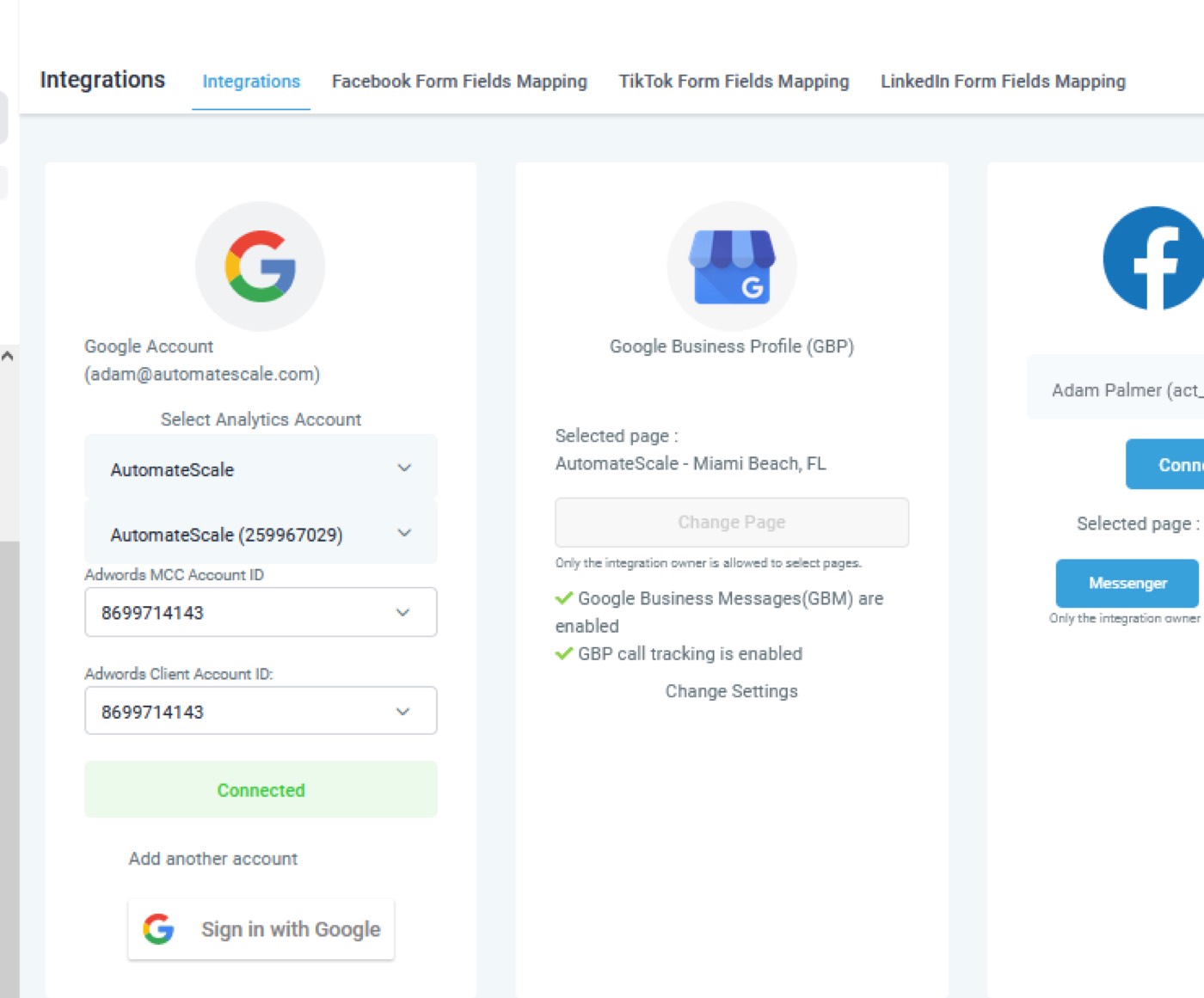
Click on ‘Integrations’. Here you can fill out the fields and add your google account to your Automatescale account. Follow the prompts to authorize your google account.
You can select an Analytics account as well as an AdWord ID.
Note: Here you need a google account that’s connected with your Google AdWords and Google Analytics.
Reputation Management
So, once your google ‘My Business profile’ is connected you can go into the reputation management settings. There are 2 ways to deal with reputation management. Here is how to do it.
Go to ‘Reputation Management’ on the left side of the page.
Click on the ‘Review link’. Grab that link and copy it.
Then turn on the SMS Review requests and Email Review requests.
Note: this method doesn’t allow you to track if someone has clicked on that link or not. If it’s a problem for you, you can use the following method to opt for trackable links using reputation management.
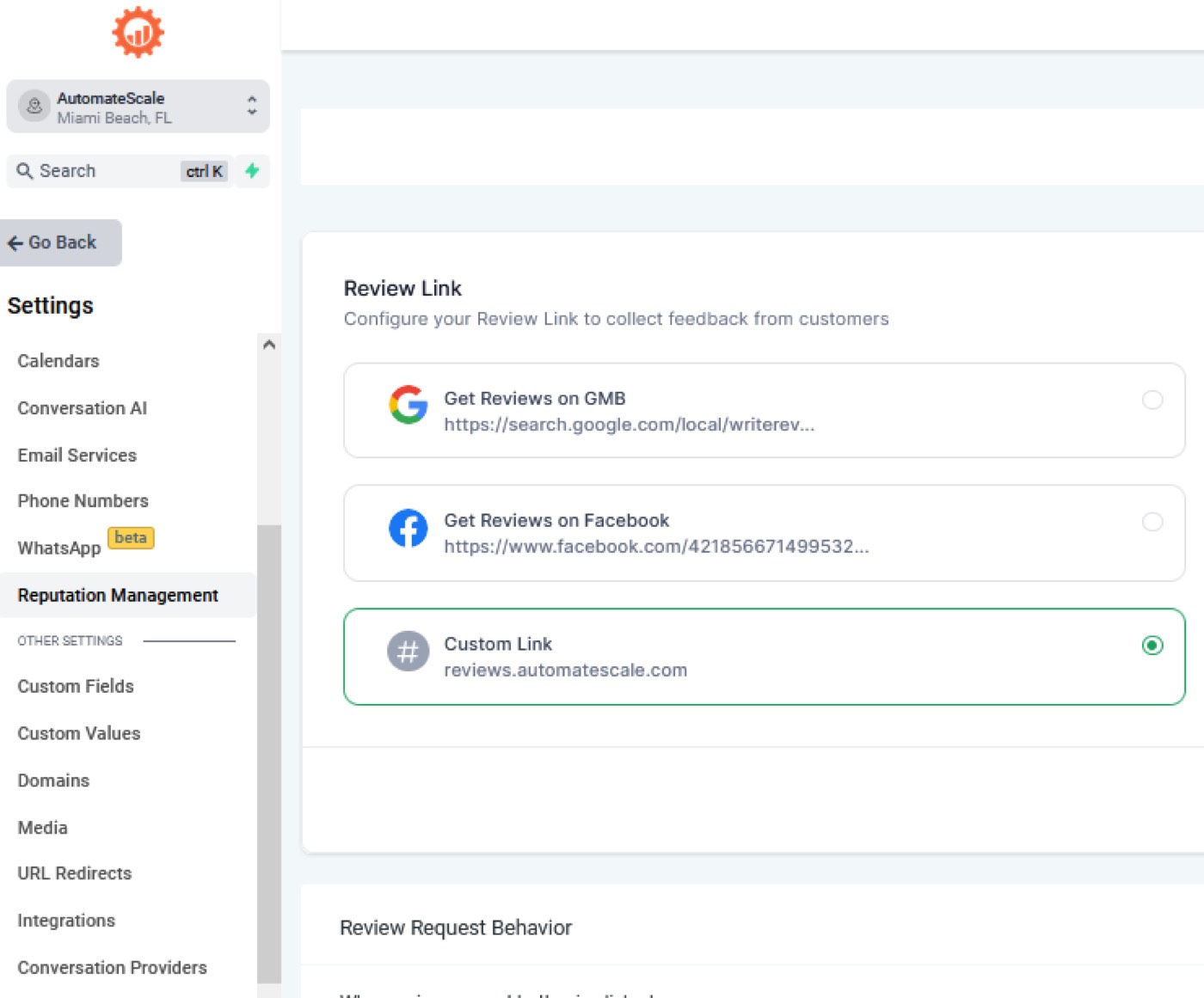
Go to ‘Custom Values’. Create a custom value and paste the copied link there.
Copy that custom value.
Now, go back and click on ‘Conversations’.
Click on ‘Trigger links’ to create a trackable link.
Google Analytics Workflow inside Automatescale
You can create or use an existing Google Analytics Workflow inside Automatescale. Here is how to do it.
Go to ‘Automation’ on the left of your Automatescale account.
Click on ‘Workflows’ and ‘Create a workflow’.
Click on ‘Start from scratch’.
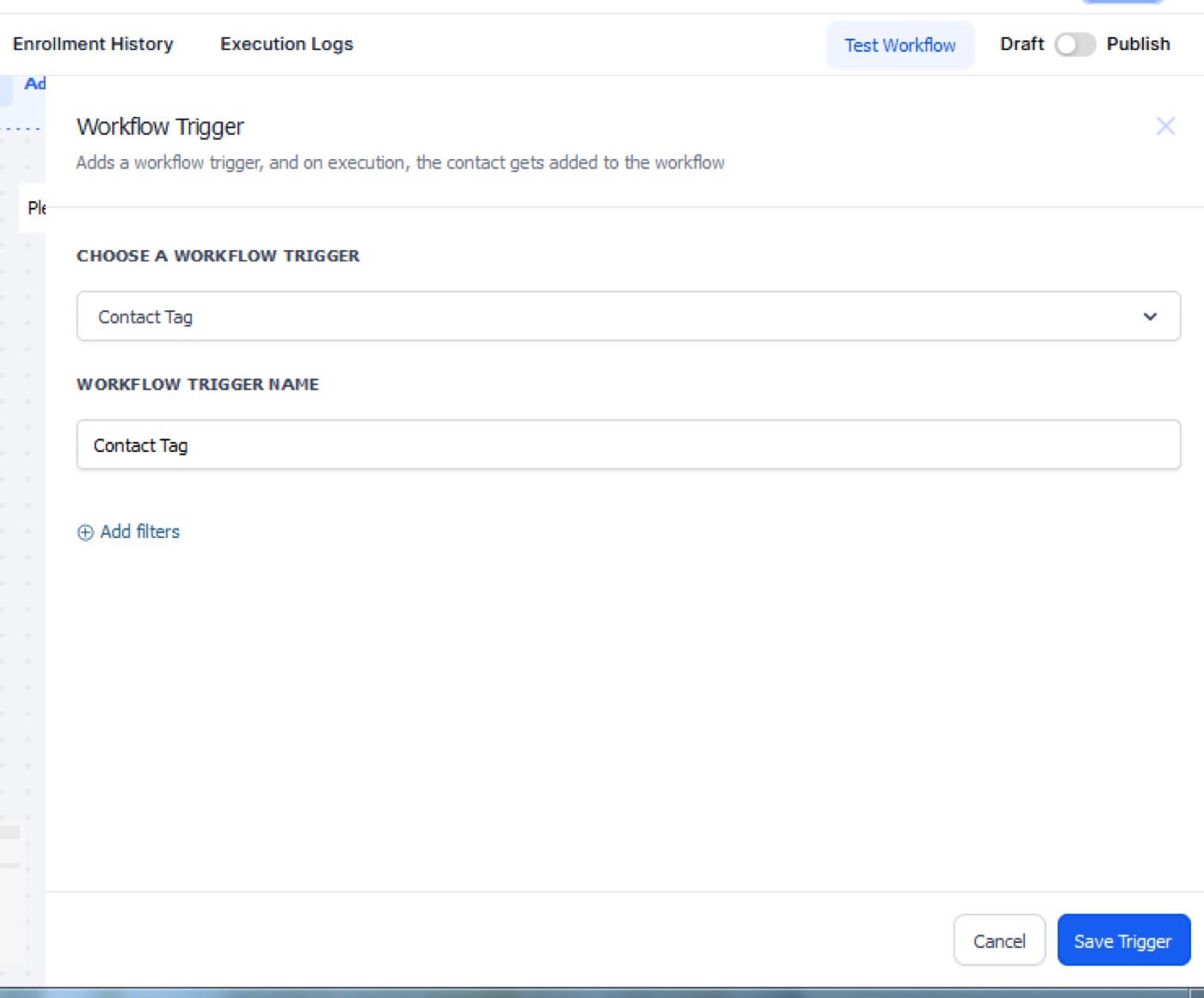
Name the workflow and click on ‘Add New Trigger’. Here we are going to add a tag.
Search for ‘tag’ on the right side. Select the desired tag name.
Save the trigger.
Now you can add contacts. Note, if you don’t want to add all the contacts, you can do this:
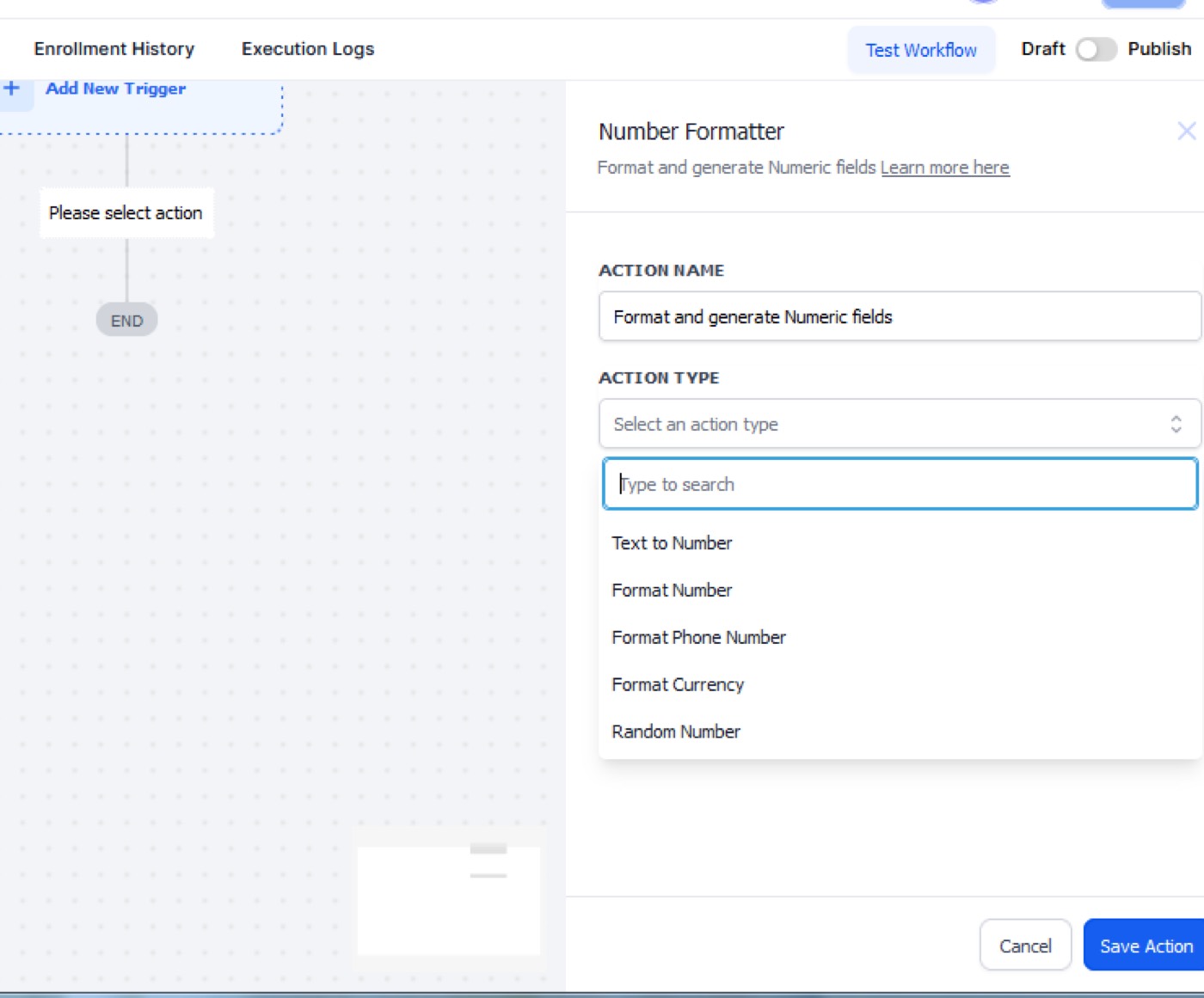
Search for 'Number Formatter' and pick random numbers from 1-10. Save the action
Click on the (+) sign to create an if/else statement.
Add segments and branches in the ‘Condition’ action. Save the action and you’ll have multiple conditions based on what number the contact was assigned.
This way you can create thousands of contacts to your workflow without the need to do it in drip mode. After this, you can send the chosen contacts a review request by SMS.
★ Want this built for you? AutomateScale deploys the AI agent layer, funnels, and automations behind this — for agencies, SaaS founders, and coaches. Apply for a strategy call or subscribe to The Scale Brief.